
Update 2026: I originally wrote this article as a comparison between the WiiM Mini and WiiM Pro, both of which I owned and tested in my own system. WiiM has since added the Pro Plus and Ultra. I have not owned those two models, so my comments on them are based on their features and intended use rather than a direct listening comparison.
Quick Answer: Which WiiM Streamer Should You Buy?
The main difference between the WiiM models is not simply sound quality. It is how you intend to connect the streamer and which other jobs it should perform in your system.
| Model | Best For |
|---|---|
| WiiM Mini | The cheapest way to add streaming, especially if you already own an external DAC and only need an optical output. |
| WiiM Pro | External-DAC users who want Ethernet, coaxial output and more connectivity than the Mini provides. |
| WiiM Pro Plus | Listeners who intend to use the WiiM’s analog output and do not want to add a separate DAC. |
| WiiM Ultra | Systems in which the WiiM will also handle a television, turntable, subwoofer and preamp duties. |
My basic rule is simple: buy the least expensive WiiM that provides the connections and functions you actually need. I explain the differences in detail below.
My Long Search for a Simple Music Streamer
For almost ten years, I searched for the perfect music-streaming solution. I tried laptops, PCs, Squeezebox players, small computers and several Raspberry Pi setups.
I also experimented with more software than I care to remember: SqueezeLite, Max2Play, Moode, Volumio and various other combinations that worked brilliantly until, for some reason, they suddenly did not.
At one point, I connected my iPhone directly to different DACs over USB. I turned my Synology DS218j NAS into a music server and used Synology’s own app to access my local collection.
I subscribed to Roon for about two years despite the cost, mainly because its interface was excellent. Later, I moved to Audirvana, which was a reasonable compromise.
None of these solutions completely satisfied me. I wanted to combine services such as Qobuz and Tidal with my local music collection without dealing with a clumsy interface, random software problems or another small computer that needed maintenance.
After a hard day at work, the last thing I wanted was to troubleshoot a Raspberry Pi because an update had broken something. I wanted to sit down, choose an album and listen.
Then I realized that around 95 percent of my listening already came from Qobuz. More and more of the albums I owned were available there, so my local collection had become more of a safety net than my main source of music.
I had never seriously considered an expensive high-end streamer. Most streamers are computers in nicer enclosures, and I was not convinced that a smaller audio company would necessarily keep its software current in a fast-changing world.
That was when I came across WiiM.
The promise was simple: affordable hardware, support for the major streaming services, a proper app and bit-perfect digital output to the DAC I already owned. No laptop, no Raspberry Pi and no complicated server setup.
I first bought the WiiM Mini and later added the WiiM Pro. Both finally gave me what I had been looking for: a streaming solution that simply worked.
The range now also includes the Pro Plus and Ultra, which makes the choice less obvious. The important question is no longer whether WiiM is a good way to add streaming. It is which WiiM fits the way you actually plan to use it.
What All WiiM Streamers Do Well
The main reason I liked WiiM was never the shape of the box or the DAC chip inside. It was how easy the whole system was to use.
Initial setup is straightforward. Connect the WiiM to your system, open the WiiM Home app and follow the instructions. I did not have to configure a separate server, install special software or spend an evening searching forums because the device had disappeared from my network.
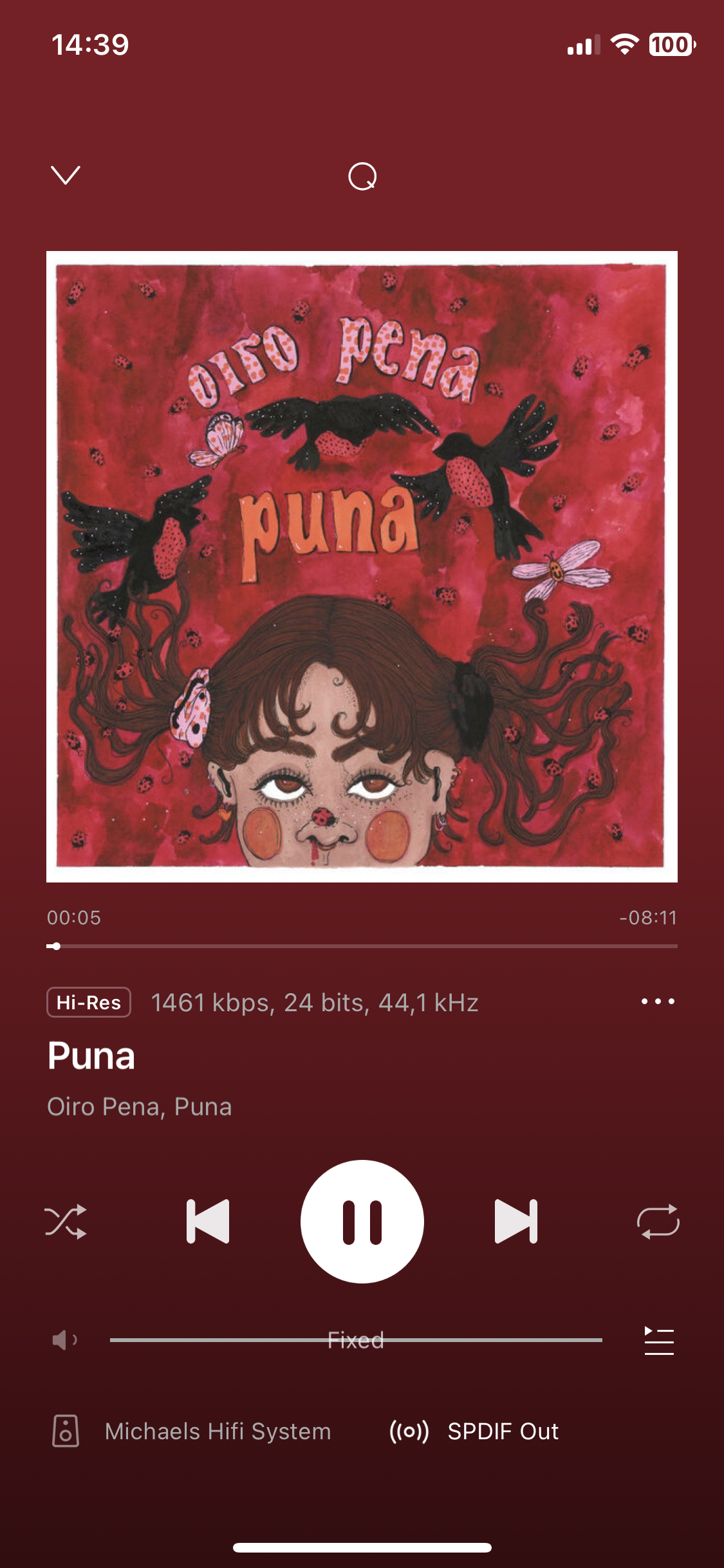
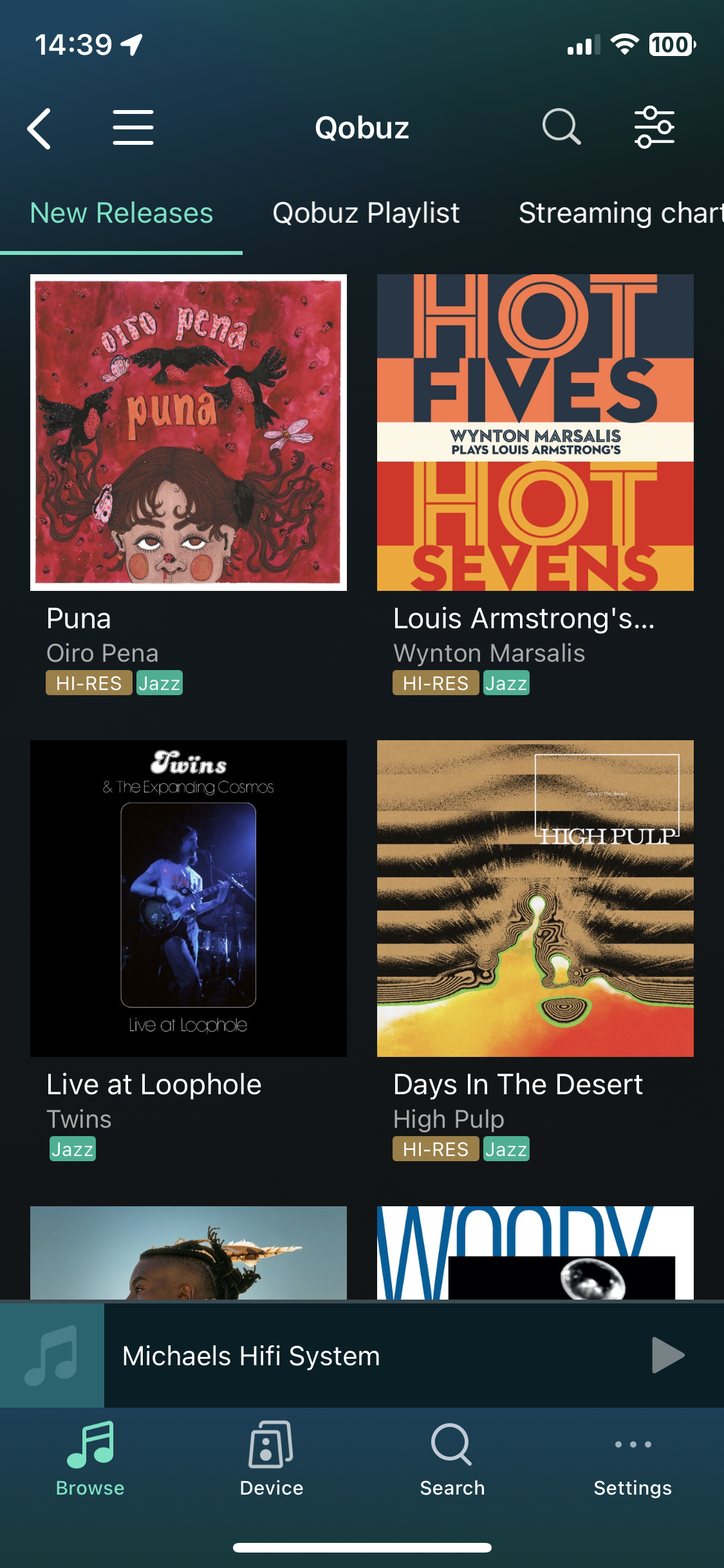
The WiiM Home app is the real strength of the platform. It handles streaming services, internet radio, local music, input selection, device settings and firmware updates from one place.
It also worked across the different devices in our home. I could control the system from my iPhone or iPad, while my son could use his Android device. There was no need to keep one dedicated tablet beside the stereo.
WiiM also supports synchronized multi-room playback with additional WiiM devices. I did not buy the Mini or Pro primarily for that purpose, but it is useful to know that another WiiM can later be added to a second system without changing platforms.
The software has received regular updates, and WiiM has continued adding features rather than treating the hardware as finished on release day.
Most importantly, the system rarely demands attention. I open the app, choose an album and press play. After years of experimenting with laptops, Raspberry Pis and music-server applications, that was what I appreciated most.
The Most Important Question: External DAC or Analog Output?
Before choosing a model, decide how the WiiM will be connected to the rest of your system.
Will you send a digital signal to an external DAC, or connect the WiiM directly to an amplifier or active loudspeakers through its analog output?
That decision matters more than small differences in specifications.
Using a WiiM With an External DAC
When you connect a WiiM to an external DAC through Toslink or coaxial, the WiiM’s internal DAC is bypassed. The external device performs the digital-to-analog conversion.
In that situation, paying extra for the improved analog section of the Pro Plus makes little sense unless you also need one of its other features. You would be paying for a DAC and analog output stage that you are not using.
The WiiM Mini is already enough if you have reliable Wi-Fi and only need an optical output.
The WiiM Pro becomes more interesting if you want Ethernet, coaxial output or additional inputs and outputs. That is why I eventually kept the Pro in my own system.
Using the WiiM’s Analog Output
When you connect the WiiM directly to an amplifier or active loudspeakers through its analog output, the internal DAC and analog output stage become part of the signal path.
I tried the analog outputs of the Mini and Pro, and they worked perfectly well. For a desktop system, inexpensive active speakers or casual listening, they may be all you need.
In my main system, however, I clearly preferred using my RME ADI-2 Pro FS R Black Edition or Gustard X20u. I had not bought the Mini or Pro for their analog outputs, and I never considered either one a replacement for those devices.
The Pro Plus is aimed at listeners who want the WiiM experience but intend to use its analog output as their main source. The Ultra goes further by adding broader preamp and system-integration features.
Do Not Pay Twice for the Same Function
Buying a model with an upgraded internal DAC makes little sense if you immediately bypass it with an external DAC.
The higher price may still be justified by Ethernet, additional inputs, HDMI, subwoofer control or other features. But it should not be justified by an analog stage you never use.
Decide first whether the WiiM will output digital or analog audio. That choice already narrows the range considerably.
WiiM Mini: The Cheapest Way Into Streaming
The WiiM Mini was the first model I bought, and it immediately solved most of the problems I had struggled with for years.
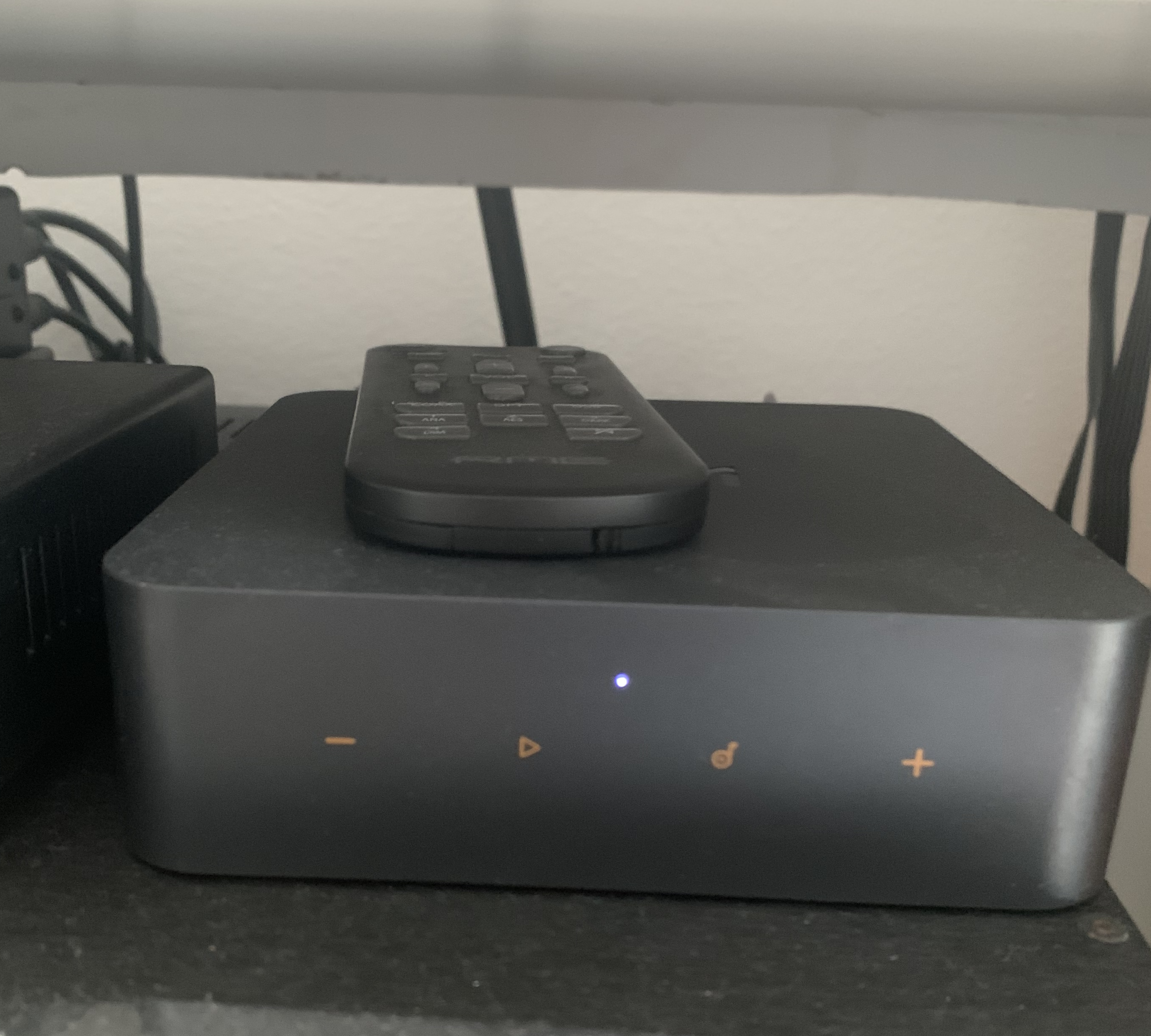
It is a tiny and inexpensive device, but it provides the complete WiiM Home app experience and can send a high-resolution digital signal to an external DAC through its optical output.
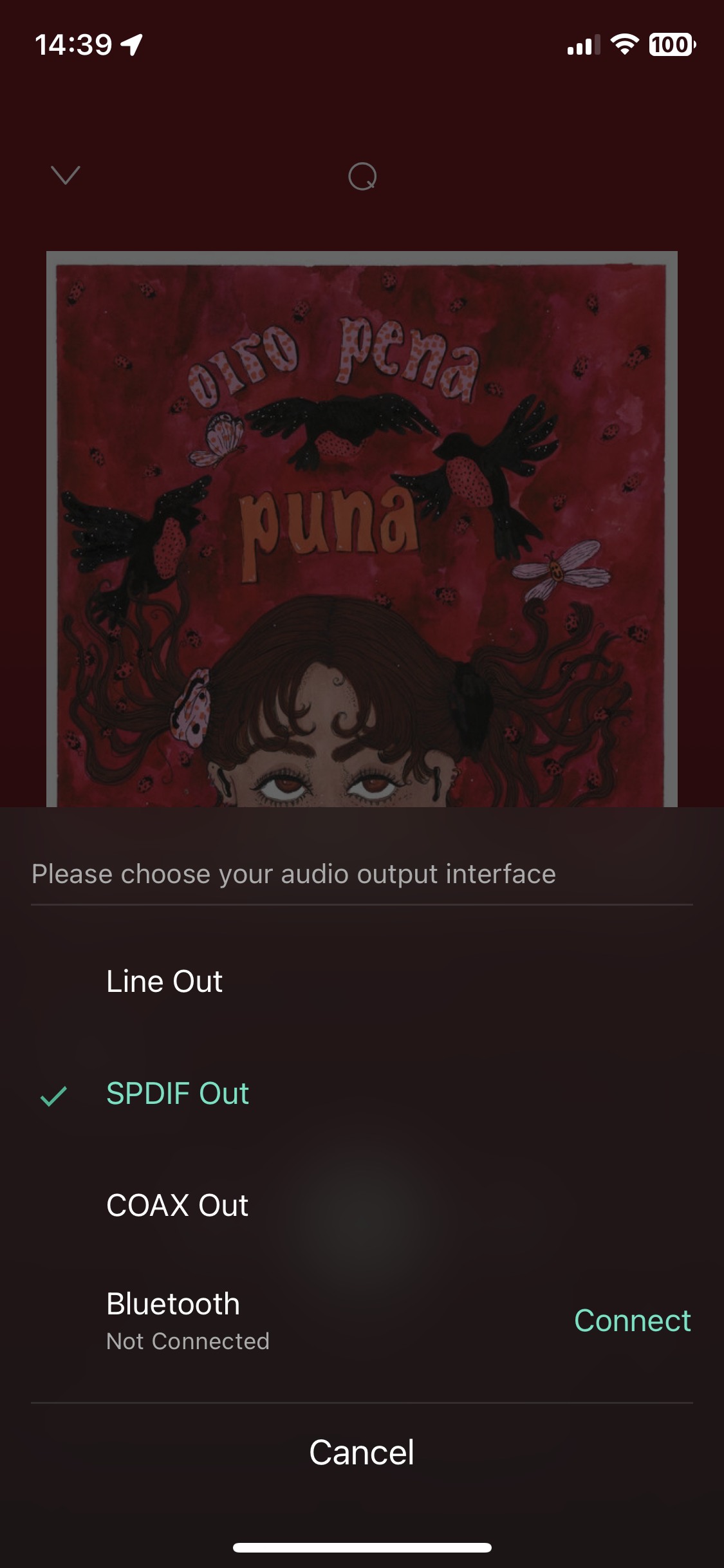
If you already own a DAC and have reliable Wi-Fi, that may be all you need. Connect the Mini through Toslink, select the correct output resolution in the app and let the external DAC handle the rest.
That is how I mainly used it. Connected digitally to my RME and Gustard DACs, the Mini worked as a simple streaming transport. I heard nothing that made me think a more expensive streamer was required for better sound.
The Mini also has an analog output, allowing it to connect directly to an amplifier, active speakers or a small desktop system. It works, but I preferred an external DAC in my main setup.
Its limitations are practical. The Mini relies on Wi-Fi and offers an optical digital output, but no Ethernet or coaxial output. If your network is stable and your DAC accepts Toslink, that may not matter.
The physical design also reflects the price. The Mini is extremely light, and a thick or stiff Toslink cable can move it around behind the equipment rack.
That does not affect playback, but it hardly feels like traditional high-end audio equipment. Then again, you are not paying for a heavy enclosure or a large display. You are paying for a simple way to add modern streaming to equipment you already own.
The Mini also makes sense in a second system, a bedroom setup or the kitchen, particularly if you later want to add more WiiM devices around the house.
Best for: External-DAC users who have reliable Wi-Fi and only need an optical connection.
Skip it if: You need Ethernet, coaxial output or broader system connectivity.
WiiM Pro: The Better Digital Transport
After using the Mini, I bought the WiiM Pro and eventually kept it in my main system.
The change was not about sound quality. The Pro gave me better connectivity and more flexibility.
The most useful addition for me was Ethernet. Wi-Fi had worked well with the Mini, but I prefer a wired connection whenever the equipment is close enough to the router. It removes one potential source of trouble and makes the streamer less dependent on wireless coverage.
The Pro also provides optical and coaxial digital outputs. I would not claim that coaxial automatically sounds better, but having the choice is useful when one input is already occupied or a particular DAC behaves better with one connection than another.
That is how I used the Pro with my RME ADI-2 Pro FS R Black Edition. The WiiM handled streaming, while the RME handled digital-to-analog conversion and volume control.
The Pro also includes additional inputs, making it easier to integrate another source into the WiiM system. Analog input signals are converted to digital for processing and multi-room playback.
I did not make extensive use of those inputs, but they made the Pro more flexible than the Mini.
The larger square enclosure also feels more substantial. It is still a small and lightweight device, but it sits more securely in the rack and is less likely to be dragged around by a stiff cable.
Anyone intending to rely mainly on the analog output should also consider the Pro Plus. If you already own a DAC you like, the regular Pro is usually the more logical purchase.
Best for: External-DAC users who want Ethernet, coaxial output and more connectivity.
Skip it if: Wi-Fi and Toslink already cover everything you need.
WiiM Mini vs Pro: What I Actually Heard
I compared the WiiM Mini and WiiM Pro through two external DACs: the RME ADI-2 Pro FS R Black Edition and my older Gustard X20u.
I also switched between the WiiM streamers and a MacBook running Audirvana, mostly out of curiosity — not to prove some point about digital sources all sounding the same. I just wanted to know if I could actually hear a difference in my own system.
Using the digital outputs, I couldn’t. The Mini and Pro both sounded clean, detailed and reliable. No larger soundstage, no better bass, no more natural voices from the Pro. The MacBook didn’t clearly outperform either WiiM once everything was set up correctly, either.
I’ll admit there could be systems where the source matters more — electrical noise, a badly implemented DAC, that sort of thing. But through the DACs in my own system, I couldn’t tell the Mini and Pro apart.
That result influenced the way I look at streamers. Once a device provides stable playback, the correct sample rate and a reliable digital output, I care much more about the app, connections and daily operation than claims of better digital sound.
Why I Kept the WiiM Pro
I kept the Pro because it was easier to integrate into my main system.
Ethernet gave me a wired network connection, the coaxial output provided another way to connect my DAC, and the additional inputs offered more flexibility. The larger enclosure also stayed in place more easily than the extremely light Mini.
I want to be clear about what actually changed, though: the sound didn’t. What I got was an upgrade in connectivity and how the thing sat in my rack, not an automatic sound-quality upgrade.
What the Comparison Taught Me About Streamers
My experience with WiiM made me more skeptical of expensive digital transports.
A more costly streamer may offer a better enclosure, a display, internal storage, additional connections or a complete preamp section. Those can all be valid reasons to spend more.
What I would not assume is that a heavier box automatically produces a dramatic improvement when both devices feed the same competent DAC digitally.
WiiM Pro Plus: Better for Analog Output
The WiiM Pro Plus looks almost identical to the regular Pro, and the basic streaming experience is much the same. The important changes are inside the box.
WiiM upgraded the DAC, analog output stage and analog-to-digital conversion. The Pro Plus uses an AKM4493SEQ DAC and is aimed at listeners who want to connect the WiiM directly to an amplifier or active loudspeakers without adding a separate DAC.
The regular Pro already works very well as a digital transport. Both models provide Ethernet as well as optical and coaxial digital outputs.
If you plan to use one of those digital outputs, the Pro Plus offers little practical advantage. The external DAC performs the conversion, so the upgraded internal DAC and analog output are bypassed.
The Pro Plus makes more sense through its RCA outputs. It combines the WiiM app, streaming services, network functionality and a capable DAC in one compact device.
I have not owned the Pro Plus, so I cannot offer a personal sound comparison with the regular Pro. Its intended use is nevertheless clear: it is the model for people who want the compact Pro format but plan to use the WiiM itself as their DAC.
The upgraded analog input stage may also be useful if you want to connect a CD player, tuner or external phono stage and distribute that source through a WiiM multi-room system.
I would start by using the Pro Plus on its own. Adding an inexpensive external DAC immediately may simply replace one competent DAC with another.
Best for: Direct analog connection to an amplifier or active loudspeakers without a separate DAC.
Skip it if: You already own an external DAC and intend to use only the digital output.
WiiM Ultra: More Than a Streamer
The WiiM Ultra is different from the Mini, Pro and Pro Plus. It is not simply another small streaming box with a more expensive DAC. It is designed to become the control center of a complete audio system.
The larger enclosure includes a 3.5-inch touchscreen and a physical volume knob. More importantly, the Ultra adds several connections and functions that the smaller models do not provide.
These include HDMI ARC for a television, a dedicated MM/MC phono input, a subwoofer output, a headphone output, USB connectivity and room correction.
In the right system, the Ultra can therefore perform several jobs:
- Network streamer
- DAC
- Digital preamp and volume control
- Phono preamp
- Television audio hub
- Headphone amplifier
- Subwoofer crossover and control unit
HDMI ARC is one of the strongest reasons to choose the Ultra. It provides a cleaner way to use a stereo system for television, movies and games without adding a soundbar or AV receiver.
The phono input allows a compatible turntable to connect directly, while the subwoofer output provides crossover, level and timing controls through the WiiM Home app.
The Ultra also supports room correction and parametric EQ. In many systems, those features may have a more noticeable effect than replacing one already competent modern DAC with another.
It can also send digital audio to an external DAC. However, I would not buy the Ultra purely in the hope that it will sound dramatically better as a digital transport. If all you need is Ethernet and a digital connection, the regular Pro already performs that job very well.
I have not owned the Ultra, so I cannot provide a meaningful listening comparison with the Pro Plus or my previous DACs. Based on its specifications, I would start with the Ultra’s internal DAC and only add an external one if there were a specific reason to do so.
Apple users should note that the Ultra does not support AirPlay. This does not prevent playback through the WiiM Home app, supported streaming-service apps or other compatible protocols, but it matters if AirPlay is part of your daily routine.
Best for: Systems in which the WiiM will also handle television audio, a turntable, a subwoofer and preamp duties.
Skip it if: You only need a digital signal for an external DAC or AirPlay is essential to you.
Streaming Local Music and Using a NAS
Although Qobuz became my main source of music, I still wanted access to the files stored on my Synology DS218j NAS.
WiiM can browse music shared through a compatible NAS or DLNA server from within the WiiM Home app. Once the NAS and streamer are connected to the same network, the local library appears alongside streaming services and internet radio.
In my case, the setup was straightforward. I could browse folders, artists and albums without keeping a laptop switched on or running a separate music-player application.
The experience depends on the quality of your metadata and how the collection is organized. Well-tagged files are much easier to browse than folders full of inconsistent artist names and missing artwork.
A NAS is not required. If almost all your listening comes from Qobuz, Tidal, Spotify or another streaming service, adding network storage may create more work than value.
The Ultra also supports music from USB storage, which may be more convenient for someone who wants to connect a drive directly rather than maintain a NAS.
For most people starting with streaming today, I would not buy a NAS immediately. Begin with the services you actually use and add network storage later if your local collection remains important enough to justify it.
Can You Connect a Turntable to a WiiM?
It depends on the model and whether your turntable already includes a phono preamp.
A traditional turntable cannot normally connect directly to a standard line input. The cartridge signal is much quieter than the output from a CD player or DAC and requires phono equalization.
| Model | Turntable Connection |
|---|---|
| WiiM Mini | No audio input. A turntable cannot be connected to the WiiM Mini. |
| WiiM Pro | Requires either a turntable with a built-in phono preamp or an external phono stage connected to the RCA line input. |
| WiiM Pro Plus | Uses the same basic setup as the Pro but provides an upgraded analog-to-digital input stage. |
| WiiM Ultra | Includes a dedicated phono input for compatible moving-magnet and moving-coil cartridges. |
Whichever model you choose, it is important to understand what happens to the analog signal inside the WiiM.
Does WiiM Keep the Vinyl Signal Analog?
No. WiiM converts analog input signals to digital.
That conversion enables app-controlled volume, EQ, room correction and multi-room distribution. Modern analog-to-digital conversion can be highly transparent, and many listeners will value the convenience more than a completely analog signal path.
For the easiest turntable integration with the fewest additional components, I would choose the Ultra. If you already own a phono stage and mainly want to distribute vinyl through a multi-room system, the Pro or Pro Plus will also do the job.
What I Do Not Like About WiiM
I like the WiiM platform a lot, but it is not perfect. Most of the weaknesses are easy to accept at these prices, but they are still worth mentioning.
The WiiM Mini Feels Very Lightweight
The Mini is tiny and easy to hide, but it also feels exactly as light as it looks.
A thick Toslink cable can move it around behind the rack, and the enclosure does not create the same impression as a traditional hi-fi component.
That had no effect on reliability or playback in my system. Personally, I would rather pay for good software than a heavy case. Still, the Mini is not a product you buy for its physical presence.
Some Advanced Settings Are Easy to Miss
The WiiM Home app is one of the platform’s strongest features, but it contains a growing number of settings.
Output resolution, fixed or variable volume, volume limits, EQ, room correction, input behavior and device grouping all live inside the same app.
Basic playback is easy, but more advanced setup takes some exploration. This is particularly important with an external DAC. Check the digital output resolution, volume setting and any active EQ before judging sound quality.
Long-Term Software Support Will Always Matter
Every modern streamer depends on software. Apps, firmware, streaming-service integrations and mobile operating systems all change over time.
WiiM has been very active with updates so far, which is one reason I trust the platform more than many smaller streaming brands.
Still, nobody can guarantee that every current service and feature will work forever. This applies to every network streamer regardless of price.
The relatively low cost of the Mini and Pro makes that risk easier to accept. I would be more concerned after spending several thousand dollars on a streamer whose main functions still depend on third-party services.
AirPlay Support Is Not Consistent Across the Range
Apple users should check AirPlay compatibility before buying.
The Ultra does not support AirPlay, despite other WiiM models offering it. The Ultra still works with the WiiM Home app and supported streaming platforms, but that may not replace AirPlay for everyone.
This is easy to miss when comparing the models mainly by price and DAC specifications.
Honestly, none of it comes close to outweighing what I get in daily use. This platform has been far easier and more reliable than anything else I tried before it.
Why I Eventually Replaced My WiiM Pro
I eventually replaced the WiiM Pro with an Eversolo DMP-A8, but not because the WiiM had failed or become unreliable.
As an affordable digital transport, the Pro had done exactly what I wanted. It gave me easy access to Qobuz, worked well with my external DACs and removed the need to keep a laptop or Raspberry Pi running beside the stereo.
My requirements simply changed.
I wanted one device that could handle streaming, digital-to-analog conversion, volume control, local music storage and my turntable.
The WiiM covered the streaming side very well, but I still needed the RME DAC and another solution for the analog part of the system.
The Eversolo DMP-A8 allowed me to replace that combination with one component. I installed a 2TB NVMe SSD for my FLAC collection, connected my phono stage to its analog input and connected the Eversolo directly to my Hypex power amplifiers.
That was the upgrade for me: not a dramatic improvement in streaming quality, but fewer boxes, fewer cables and one volume control for digital and analog sources.
The Eversolo costs several times as much as a WiiM, so the comparison is not fair based on price alone. For someone who only needs a streamer for an existing DAC or integrated amplifier, I would still recommend WiiM without hesitation.
The DMP-A8 became the better solution for me because it replaced several components at once.
You can read more about that change in my Eversolo DMP-A8 long-term review.
Which WiiM Should You Buy?
After looking at all four models, the decision is fairly simple.
Buy the WiiM Mini If…
You already own an external DAC, have reliable Wi-Fi and only need an optical digital output.
My verdict: The best-value option when Wi-Fi and Toslink are enough.
Check the current WiiM Mini price (advertisement link)
Buy the WiiM Pro If…
You use an external DAC but want Ethernet, coaxial output and more connectivity.
My verdict: The sweet spot for external-DAC users who want a more versatile digital transport.
★ Check the current WiiM Pro price (advertisement link – my personal pick)
Buy the WiiM Pro Plus If…
You want to connect the WiiM directly to an analog amplifier or active loudspeakers and do not already own a DAC.
My verdict: The best compact WiiM when its analog output will be your main source.
Check the current WiiM Pro Plus price (advertisement link)
Buy the WiiM Ultra If…
You want the WiiM to become the control center of a complete system and will actually use features such as HDMI ARC, the phono input, subwoofer management, room correction, USB or the front display.
My verdict: The best choice when system integration matters more than keeping the streamer small and inexpensive.
Check the current WiiM Ultra price (advertisement link)
Frequently Asked Questions
Does the WiiM Pro Sound Better Than the WiiM Mini?
Not through an external DAC, at least not in my system. I kept the Pro for Ethernet, coaxial output and additional connectivity rather than a difference in sound.
Is the WiiM Pro Plus Worth It With an External DAC?
Usually not. Its upgraded internal DAC and analog output are bypassed when you send the signal digitally to another DAC.
Can WiiM Play Music From a NAS?
Yes. WiiM can access music shared through a compatible NAS or DLNA server from within the WiiM Home app. I used it successfully with my Synology NAS.
Can I Connect a Turntable to a WiiM?
It depends on the model. The WiiM Mini has no audio input. The Pro and Pro Plus require either a turntable with a built-in phono preamp or a separate phono stage. The Ultra includes a dedicated phono input.
Which WiiM Is Best for Active Speakers?
Choose the Mini or Pro if the speakers have a digital input or you already own a DAC. Choose the Pro Plus for direct analog connection. The Ultra makes sense when you also need HDMI ARC, subwoofer management, room correction or additional inputs.
Final Verdict
WiiM finally gave me the simple streaming solution I had been looking for. The hardware is affordable, the app works well, and I no longer had to deal with laptops, Raspberry Pis or complicated server setups just to play an album.
I could not hear a meaningful difference between the Mini and Pro when they were connected digitally to the same external DAC — there probably just isn’t one. I kept the Pro because I wanted Ethernet, coaxial output and additional connectivity — not because it sounded better.
For most external-DAC systems, I would choose the Mini or Pro. For direct analog connection, I would move to the Pro Plus. I would choose the Ultra when its HDMI, phono, subwoofer and preamp functions can replace other equipment.
Last updated: July 2026. My personal listening experience in this guide is based on the WiiM Mini and WiiM Pro.
Amazon and the Amazon logo are trademarks of Amazon.com, Inc, or its affiliates.